Best Settings For Modern Warfare 4 – Controller Layouts, Sensitivity, And More
After going hands-on with Call of Duty: Modern Warfare 4 during the beta, we've curated some recommended settings for you to improve your aim and movement, as well as some important graphic settings to consider. This guide covers recommended settings for controllers, graphics, and audio settings in Modern Warfare 4.
Optimal settings are always going to be subjective, but here we detail our preferred options for console players on PS5 and Xbox Series X|S.
Nintendo Switch 2 is also a platform choice this year, but our suggested settings won't do much to help the poor graphical performance of MW4 on Nintendo's handheld. However, there is a feature that lets you use the Joy-Cons for mouse controls, and you can remap buttons to your preference.
Call of Duty: Modern Warfare 4 launches on October 23 for PlayStation 5, Xbox Series X|S, PC, and Switch 2.
Best controller settings
Inputs
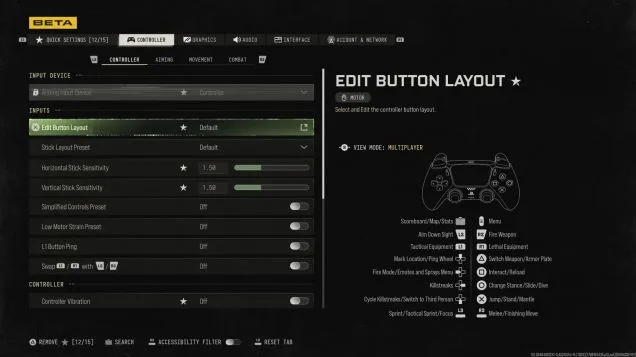
- Edit button layout: Default or tactical
- Stick layout preset: Default
- Horizontal stick sensitivity: 1.50 to 1.85
- Vertical stick sensitivity: 1.50 to 1.85
- Simplified controls preset: Off
- Low motor strain preset: Off
- L1 Button ping: Off
- Swap L12/R1 with L2/R2: Off
Controller
- Controller Vibration: Off
- Trigger effect: Off
Whether you choose the default or tactical button layout might depend on the type of controller you use. Tactical layout is recommended for those using a standard controller, as it maps your crouch/slide/dive button to the thumbstick, so you can be quick without ever needing to move your thumb. If you have a controller that lets you remap the buttons, you can just leave this on its default setting and use the extra back buttons for actions like jump and crouch.
Trigger Effect is something you definitely want to turn off for PS5. The immersion might feel cool, but for more precise aiming, you want to have this effect turned off.
Deadzone
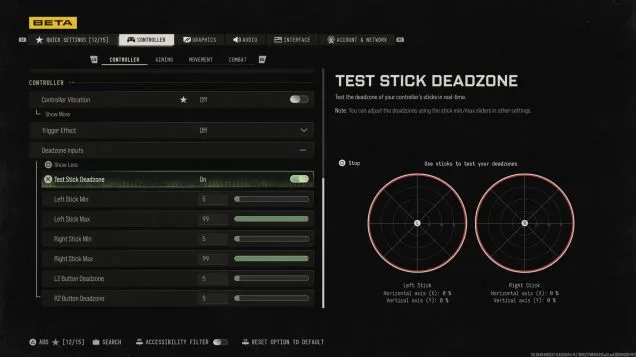
Deadzone Inputs:
- Left Stick Min: 5
- Left Stick Max: 99
- Right Stick Min: 5
- Right Stick Max: 99
- L2 Button: 5
- R2 Button: 5
Stick drift varies for each player's controller, so your settings here will likely look different to another player's. Thankfully, Call of Duty's testing feature returns, allowing you to test your controller's stick drift right inside the settings.
First, start on the default Deadzone settings, then turn on the Test Stick Deadzone setting. This test will give you numbers on the bottom of the left and right stick images. Whatever numbers it gives you, you want to adjust the minimum stick drift number for that specific stick to go at least one number higher than the number you're given.
For example: If your left stick test shows a 3 and the right stick shows a 2, you want to adjust the minimum drift for the left stick to a 4 and the right stick to a 3. Then test again to make sure you don't have any more drift.
Lastly, you'll want L2/R2 set to a lower number to make sure you're getting a quick activation. I would recommend dropping this down to at least 5, especially if you're using R2 to shoot.
Aiming
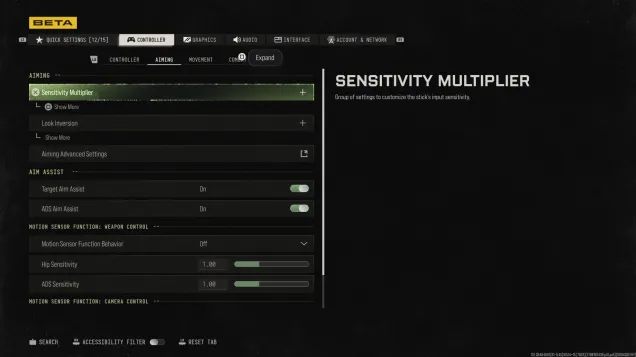
- Sensitivity Multiplier:
- 3rd person sensitivity multiplayer 1.00
- Ground vehicle sensitivity: 1.00
- Air vehicle sensitivity multiplier: 1.00
- Tablet sensitivity: 1.00
- ADS Sens. Multiplier: 1.00
- ADS Sens. Multiplier (Focus): 0.90
- Look inversion (On foot): Standard
Aiming advanced settings
- ADS Sensitivity transitioning timing: Instant
- 3rd person ADS correction type: Assist
- Aim response curve type: Standard
- Custom sensitivity per zoom: Off
Aim assist
- Target aim assist: On
Motion sensor function: Weapon Control
- Motion Sensor Function Behavior: Off
Motion sensor function: Camera Control
- Motion Sensor Function Behavior: Off
Motion sensor aiming is a feature that uses motion-tracking technology to allow you to tilt the controller for aiming on PS5 and Switch 2. This can serve as an accessibility option if you need it. Otherwise, this is a setting you'll likely want to leave off, which is the default setting shown above.
Intelligent movement
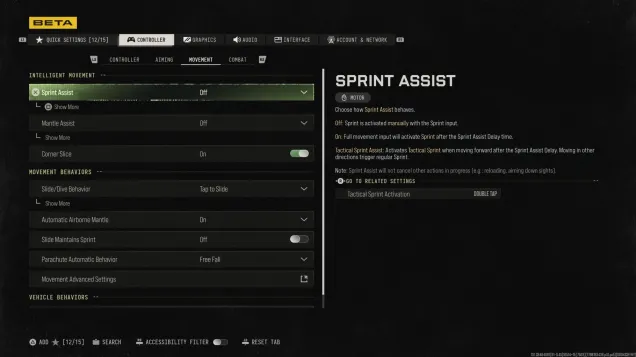
- Sprint assist: Off
- Mantle assist: Off
- Corner Slice: On
- Wall Jump Assist: Off or on
- Active Roll Assist: Off
These movement settings are going to come down to personal preference, and I suggest playing around with them to see what you prefer.
Corner slice will tilt your weapon when you get close to a wall or cover. It likely won't affect you much, but if you find it's distracting, you can always disable the feature.
Movement behaviors
- Slide/Dive behavior: Tap to slide/Hold to dive
- Automatic airborne mantle: Off
- Slide maintains sprint: On
- Parachute automatic behavior: Free Fall
Advanced Movement Settings
- Sprint/Tactical sprint behavior: Toggle
- Auto move forward: Off
- Auto door peek: Off
- Grounded mantle: Off
- Tactical sprint activation: Single tap sprint
- Plunging underwater: Trigger
Vehicle Behaviors
- Vehicle camera recenter: Short delay
- Camera initial position: Free look
- Lean-Out activation: Melee/Finishing move
Combat behaviors
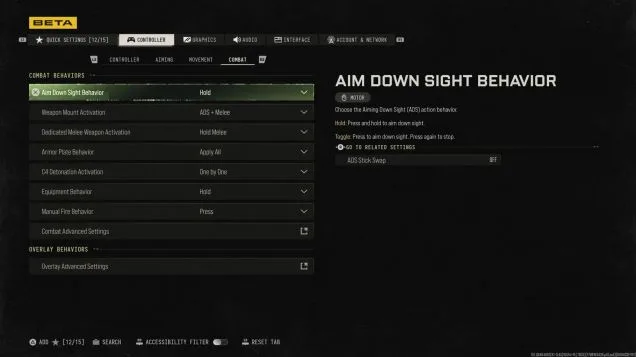
- Aim down sight behavior: Hold
- Weapon mount activation: ADS + melee
- Dedicated melee weapon activation: Hold Melee
- Armor plate behavior: Apply all
- C4 detonation activation: All at once
- Equipment behavior: Hold
- Manual fire behavior: Press
Advanced combat behaviors:
- Focus behavior: Hold
- Change up directional behavior: Ping
- Change zoom activation: Sprint/Tactical Sprint/Focus
- Weapon mount exit: Short Delay
- Interact/reload behavior: Prioritize reload
- Mantle cancels reload: On
- Akimbo behavior: Independent (This lets you fire each weapon individually)
- ADS stick swap: Off
- Depleted ammo weapon switch: On
- Weapon mount movement: On
- Underhand throw behavior: Melee
Overlay behaviors
- Inventory control: Directional buttons
- Ping wheel delay: Moderate
- Double tap danger ping delay: Moderate
Best graphics settings for console
Display
- 120 HZ refresh rate (If applicable): On
- Eco mode preset: Efficiency
Quality
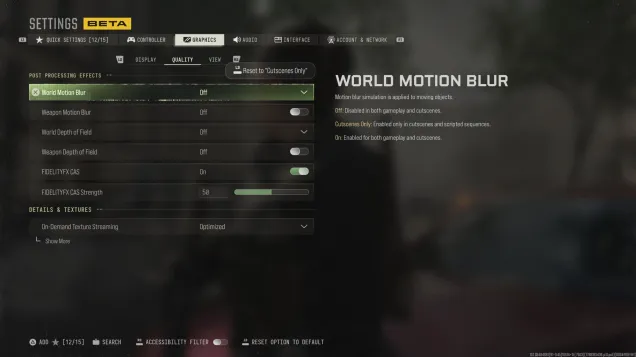
- World motion blur: Off
- Weapon motion blur: Off
- World depth of field: Off
- Weapon depth of field: Off
- FIDELITYFZ CAS: On
- FIDELITYFZ CAS Strength: Choose somewhere between 50 - 80
Infinity Ward did make some improvements to the field-of-depth setting this year, but this is still a cinematic setting that causes you to lose some sharpness when using it. You can try and see if you like the look of it this year, but it's recommended to keep it off for the sharpest visuals.
Details and textures
- On-Demand texture streaming: Optimized
- Allocated texture cache size: Auto
- Download limits: On or Off (This depends on if you're being mindful of data usage/data caps)
With the download limits on, you can cap how many GBs are downloaded daily for textures.
Field of View
- Field of view: Choose somewhere in the 90-120 range
- ADS field of view: Affected
- 3rd person FOV: 90
- Vehicle FOV: Default
The higher you set the field of view, the more you can see, but it also zooms everything out. For the field of view, the settings let you go all the way to 120, but this tends to leave you feeling zoomed out too far. It's all personal preference here, but I recommend testing somewhere between 90-120.
Camera
- First-Person camera view: Default 100%
- 3rd person camera movement: Default 100%
- 3rd person ADS transition: 3rd person ADS
- Inverted flashbang: Off/On personal preference
For those who get motion sick playing, you can try reducing the first-person and third-person camera movements down to 50%. You also can try lowering your FOV from the setting above to 100, if you previously had it set at a higher value.
Inverted flashbang is a good setting if you are sensitive to bright flashes. This will turn the flash into a quick black screen instead.
Best audio settings
Volumes
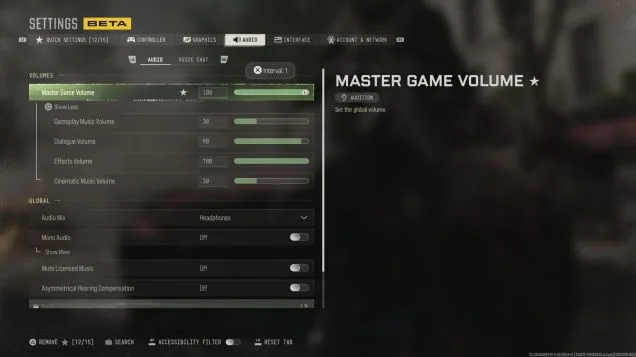
- Master game volume: 100
- Gameplay music volume: 25-30
- Dialogue volume: 80-100
- Effects volume: 100
- Cinematic music volume: 50 or less
Audio is always super loud in Call of Duty games, and Modern Warfare 4 is no exception, but you don't need everything at max volume to make the most of the experience. Personally, I like to greatly lower all the music and slightly lower the volume of everything except the effects volume.
The effects volume is going to include the game's precious footstep audio, so I'd never suggest turning that one down. You want to hear those footsteps at 100. Dialogue volume includes important announcer callouts about enemy scorestreaks and such, so you don't want this sound turned down too far either. I'd recommend not going lower than 80 here.
Global
- Audio mix: Home Theater or Headphones (depending on what you're using)
- Mono audio: Off
- Mute licensed music: On or off
- Asymmetrical hearing compensation: Off
If you're planning on streaming and/or uploading videos for Modern Warfare 4, you'll want to mute the licensed music so you don't get hit with copyright strikes.
Functionality
- Reduce tinnitus sound: On/Off
I play with the Reduce Tinnitus Sound turned on to reduce the extreme sound of the flashbang and concussion grenade effects, but you should try what's best for you.
Overall, adjusting these console settings should help you get the best aim, movement, audio, and visuals for Call of Duty: Modern Warfare 4.