Hearing Aids on Windows 11: ReSound Enzo IA Streams From the Dell Pro 7 13 2-in-1 Over Bluetooth LE Audio
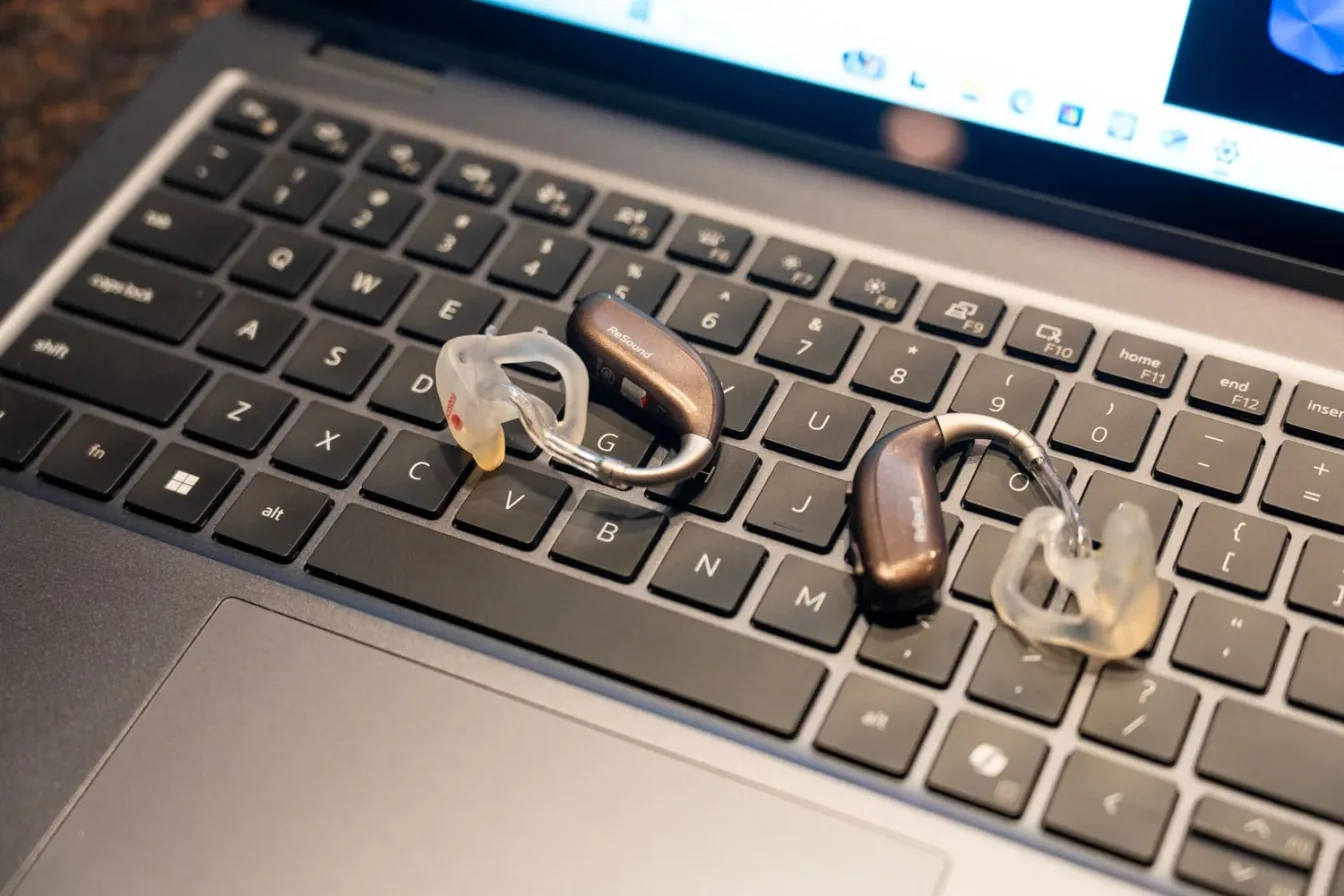
ReSound Enzo IA hearing aids paired with a Dell Pro 7 13 2-in-1 on the first attempt and streamed Windows 11 audio directly, with no streamer box or USB adapter in between. We ran the test on a system Dell provided for this project, and the result depends on Bluetooth LE Audio, a shared standard for hearing aids and computers. Most Bluetooth hearing aids have streamed from phones for more than a decade without connecting to a Windows PC, and closing that gap took a current Windows 11 build, a capable radio, firmware and drivers from the PC maker, and an LE Audio hearing aid.
Key Takeaways
- Pairing worked on the first attempt. The ReSound Enzo IA connected to the Dell Pro 7 13 2-in-1 through Windows 11 Bluetooth settings with no problems, and audio was playing through the hearing aids about 30 seconds after pairing began.
- The difference for the wearer was night and day. Direct PC audio replaced phone-only streaming for media and for Zoom sessions with a community group.
- Bluetooth on a hearing aid has meant three different technologies. Apple’s Made for iPhone protocol (2014) and Google’s ASHA (2019) run on the Bluetooth Low Energy radio and work only with phones and tablets, while LE Audio, completed on July 12, 2022, is the first standard a Windows PC can use.
- Windows had the feature long before most PCs could use it. Microsoft added LE Audio to Windows 11 22H2 on May 24, 2023, and the launch announcement named three Samsung notebooks.
- The gate sits in drivers and firmware around the radio. Windows supplies the LE Audio profiles, and the chip vendor and PC maker supply the audio driver and LC3 codec for each model.
- Wearers with severe to profound loss waited longest. The first LE Audio hearing aid shipped in October 2023, and GN describes the Enzo IA, launched in August 2025, as the first Super Power model made for LE Audio.
Why Hearing Aids and PCs Took So Long to Connect
The Bluetooth logo covers two separate radios, Bluetooth Classic and Bluetooth Low Energy, along with many profiles that define what connected devices can do, so two products can both carry it and share no way to exchange audio. Headsets use Classic audio, which every Bluetooth PC supports, and most hearing aids skipped it to save power. They streamed over Bluetooth Low Energy using protocols defined by phone makers: Apple’s Made for iPhone (2014) and Google’s ASHA (2019). Microsoft’s hearing device documentation states that neither is based on LE Audio, which left Windows PCs with no way to stream to them.
LE Audio is the shared standard that replaces those phone-only protocols, and the Bluetooth SIG declared its specifications complete on July 12, 2022. It adds the LC3 codec, synchronized left and right streams, a Hearing Access Profile, and Auracast broadcast audio. Bluetooth LE and Bluetooth LE Audio are different things, and Microsoft warns that a PC marketed with Bluetooth LE support may still lack LE Audio.
Microsoft added LE Audio to Windows 11 version 22H2 with update KB5026446 on May 24, 2023, on the condition that the computer supports it, and the launch announcement named three Samsung notebooks. Windows supplies the LE Audio profiles, and Microsoft’s driver documentation places the audio streaming driver with the hardware vendor and the LC3 codec in that driver, the audio DSP, or the Bluetooth controller. Each PC model therefore needs matched Bluetooth and audio drivers, validated and shipped by the PC maker, before the Use LE Audio when available setting appears.
Dell’s support article 000214117, last revised on May 18, 2026, still states that Dell devices do not support Bluetooth LE profiles and that a BIOS update will add them in the future. The Pro 7 13 2-in-1 that Dell provided shows the LE Audio setting and streams to the Enzo IA on BIOS 2.4.2. Hearing aids had to arrive as well, with GN shipping the first LE Audio model, the ReSound Nexia, in October 2023 and launching the Enzo IA for severe to profound hearing loss in August 2025.
Date Milestone Phone-Only Streaming 2014 ReSound LiNX ships as the first Made for iPhone hearing aidHearing aid makers and the Bluetooth SIG agree to develop a common standard 2019 Google adds ASHA hearing aid streaming in Android 10 The Standard January 2020 Bluetooth SIG announces LE Audio July 12, 2022 LE Audio specification set declared complete PCs and Hearing Aids Catch Up May 24, 2023 Windows 11 22H2 adds LE Audio (KB5026446)
Three Samsung Galaxy Book3 models named at launch September 2023 macOS Sonoma 14 brings Made for iPhone hearing aids to Apple silicon Macs October 2023 ReSound Nexia ships as the first LE Audio hearing aid
Windows Insider build 25977 adds hearing aid pairing (October 18) October 1, 2024 Windows 11 24H2 begins rolling out, the version required for hearing aid presets and ambient sound controls January 2025 Android LE Audio hearing aid support begins with the Galaxy S25 August 2025 ReSound Enzo IA launches for severe to profound hearing loss November 2026 Enzo IA streams from a Dell-provided Pro 7 13 2-in-1
Test Setup
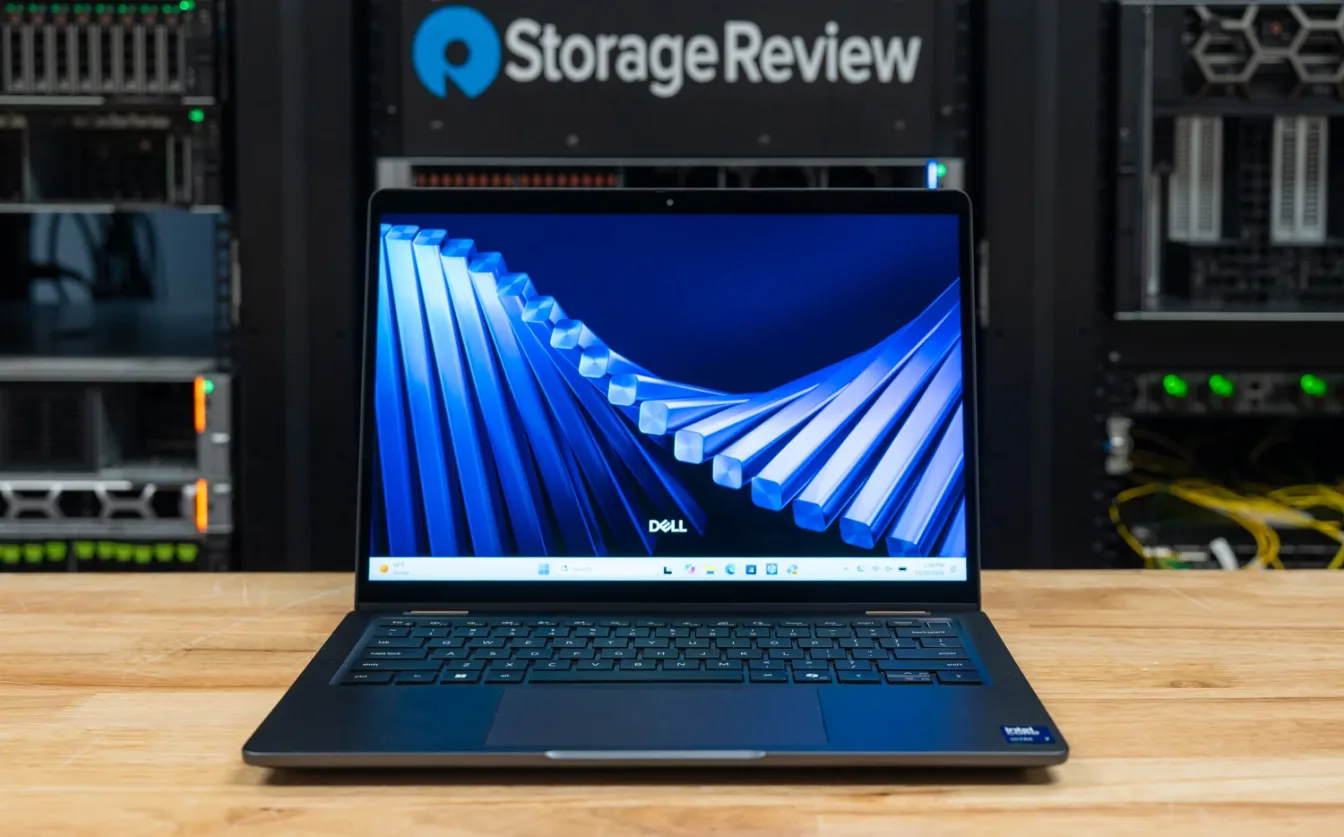
The test system is the Dell Pro 7 13 2-in-1 covered in our review, the convertible in Dell’s Pro 7 business line, configured with an Intel Core Ultra 7 366H vPro, 64GB of memory, and Windows 11 Pro version 26H2 (build 26300.9974) on BIOS 2.4.2. That is the public Windows release, and the system ran no pre-release software from Microsoft or Dell. Bluetooth comes from the Intel Wi-Fi 7 BE211 module, which is qualified against Bluetooth 6.0, and Intel says its Wi-Fi PCs pair LE Audio with Auracast broadcast audio to improve accessibility for hearing aid users. We tested direct streaming for this article and did not test Auracast.
The ReSound Enzo IA is a rechargeable hearing aid built for severe to profound hearing loss. GN rates it for up to 28 hours per charge, or 20 hours when half that time is spent streaming, and it supports LE Audio and Auracast, as well as streaming from compatible iPhones and Android phones.
 Specification
As Tested Dell Pro 7 13 2-in-1 Model
Dell Pro 7 13 2-in-1 (P703260) Processor
Intel Core Ultra 7 366H vPro Memory
64GB LPDDR5X-8533 Wireless Module
Intel Wi-Fi 7 BE211 Bluetooth
Bluetooth 6.0 qualified BIOS
2.4.2 Audio Driver
Intel Smart Sound Technology 20.43.12927.0 Operating System
Windows 11 Pro, version 26H2
Build 26300.9974 ReSound Enzo IA Fitting Range Severe to profound hearing loss Battery Life Up to 28 hours per charge
20 hours with 50% streaming Wireless Audio Bluetooth LE Audio
Auracast broadcast audio
Pairing the Enzo IA With Windows 11
Microsoft’s documented check for LE Audio is a single setting in Windows 11. Under Settings, Bluetooth & devices, Devices, a PC with working LE Audio shows a Use LE Audio when available toggle, and a PC without the required drivers shows nothing in that spot. The Dell Pro 7 13 2-in-1 shows the toggle, switched on.
Pairing follows the same path as any Bluetooth accessory and worked on the first attempt. With the hearing aids in pairing mode, Windows listed them in the Add a device dialog alongside the other Bluetooth devices in range.
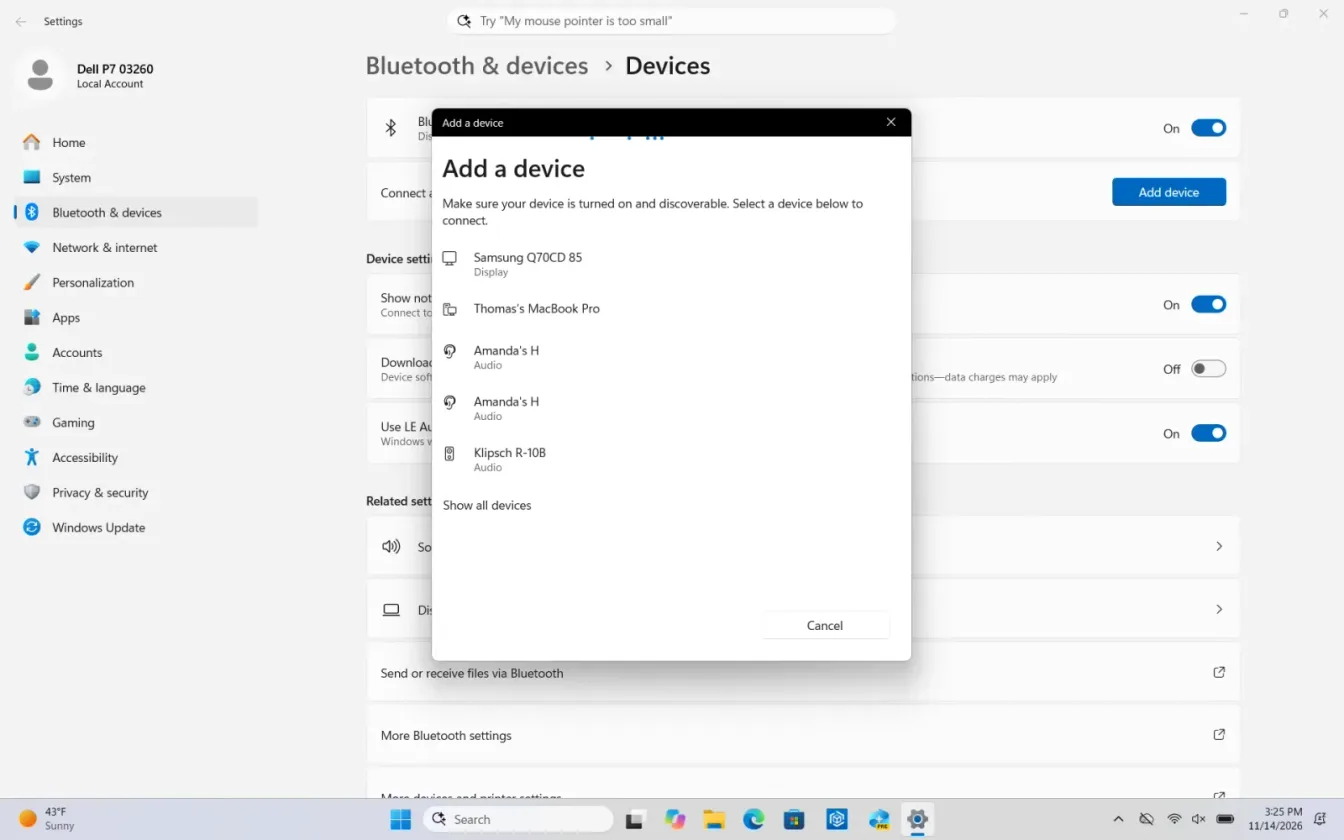
Selecting one hearing aid prompted Windows to report that it had found the other and to offer the connection, which paired the two sides as a set with one more click.
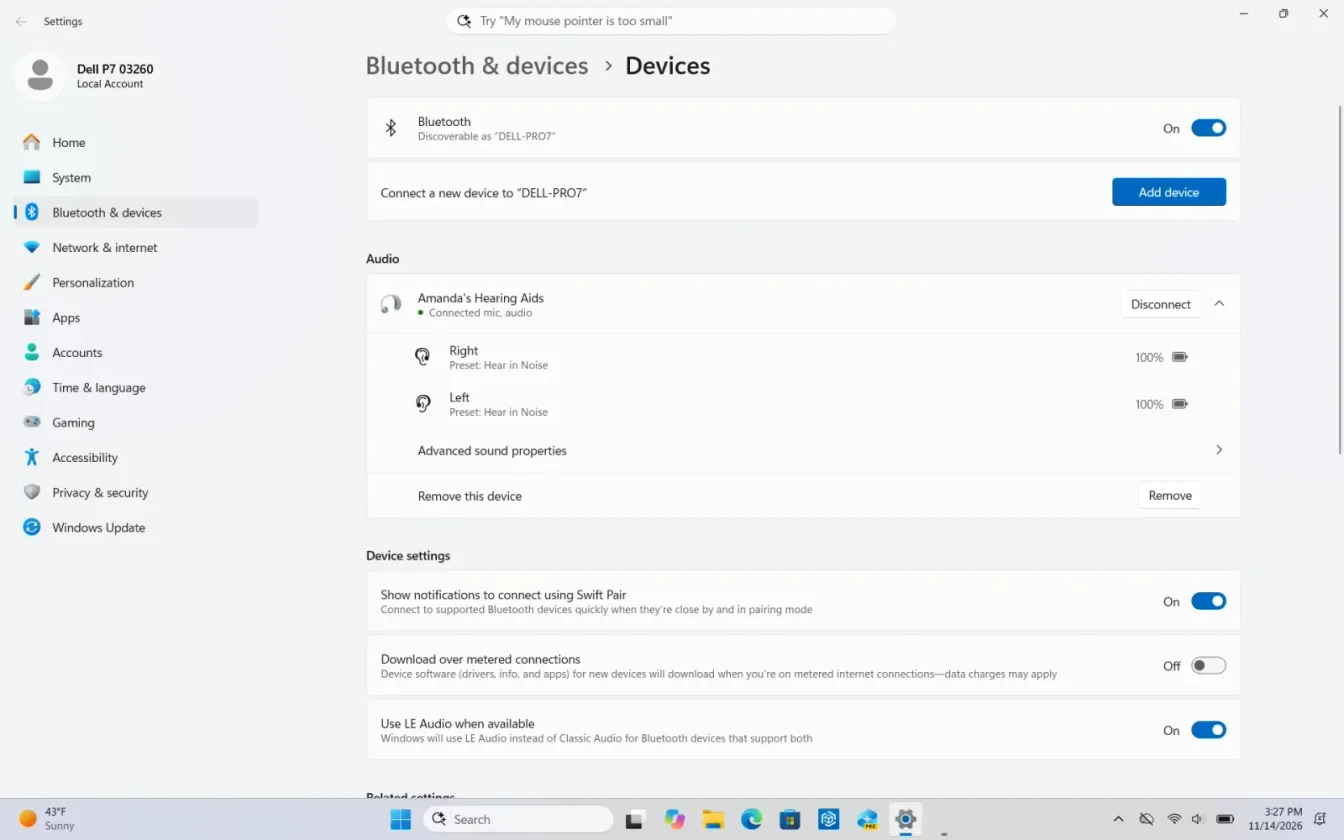
Windows then showed the pair as a single device, with the right and left sides each listed as connected. Audio was playing through the hearing aids about 30 seconds after we started pairing.
Windows 11 version 24H2 and newer, which includes the 26H2 release on the test system, can show a hearing aid’s presets with the device entry. On the Dell, the Devices page listed the Enzo IA as connected for both microphone and audio, showed each side on its Hear in Noise preset with the battery at 100%, and kept the Use LE Audio when available toggle on.
GN says the Enzo IA can stay connected to two devices at once, and that held in our test. The hearing aids stayed connected to the Dell Pro 7 13 2-in-1 and an iPhone at the same time, and they moved back and forth between the two audio sources with no need to disconnect from either.
Where Direct PC Audio Helps
Zoom, Teams, and Google Meet sessions run on a PC because of the larger screen, the keyboard, and screen sharing, and until now a hearing aid wearer typically joined them through laptop speakers or a separate streaming accessory. For many people with limited mobility, those calls carry much of their contact with friends, so a hearing aid that only streams from a phone leaves the main communication device out of reach.
Amanda Lojeski, who has a severe hearing disability and limited mobility, wears the Enzo IA hearing aids used in this project and has streamed audio from her phone since she got them. The Dell Pro 7 13 2-in-1 gave her a direct connection between her hearing aids and a PC for the first time. She takes part in a virtual inclusive community group on Zoom for people with disabilities, and those sessions now play directly through her hearing aids.
We saw a night-and-day difference in how she could use a PC for media and for staying connected with friends. Movies and video on the notebook play directly into the hearing aids at a level set for her hearing, which removes the need to turn laptop or desktop speakers up for the whole room.
“I’ve worn hearing aids since I was a baby, so hearing accessibility has always been an important part of my life,” Amanda said. “Being able to connect my hearing aids directly to my Dell laptop is exciting because it gives me opportunities I didn’t have before. Previously, I didn’t have a laptop that I could easily take with me and connect to my hearing aids so I could hear audio directly. Now I can take my laptop wherever I go and stay connected.
“I participate in a virtual inclusive community group on Zoom for people with disabilities, and being able to hear directly through my hearing aids makes participating in conversations and connecting with others easier. For me, this technology is about so much more than convenience. It’s about independence, accessibility, inclusion, and participating in everyday life without unnecessary barriers. Something as simple as connecting hearing aids to a laptop can make a tremendous difference.”
Limits That Remain
Both ends of the link have to support LE Audio. Hearing aids that stream only through Made for iPhone or ASHA will not connect to a Windows PC, no matter how new the PC is, leaving owners of older models waiting for their next fitting. On the PC side, a Bluetooth 5.2 or newer radio is necessary, but it does not guarantee the feature, since the drivers and firmware must be enabled for that specific model. We tested one configuration of the Pro 7 13 2-in-1, and other builds of the same system need the same check.
Our testing covered whether the connection works and what it enables for the wearer. We did not measure wireless range, audio delay against video, call audio quality, or hearing aid battery drain. LE Audio is designed to use less power than Classic Bluetooth audio, and GN’s rating of 20 hours, with half that time spent streaming, is the figure to plan around.
Finding a PC that works takes more effort than it should, because Microsoft publishes no general list of LE Audio PCs; we could not find Dell documentation that lists LE Audio support for the Pro 7 13 2-in-1, and ReSound’s product page for the Enzo IA makes no statement about Windows. The practical test before buying remains the single toggle in Windows settings, checked on the exact model and configuration.
Conclusion
The Dell Pro 7 13 2-in-1 and the ReSound Enzo IA show that direct hearing aid streaming on a Windows PC works now when Windows 11, the Bluetooth radio, the PC maker’s drivers and firmware, and the hearing aid all support LE Audio. Getting here took about 12 years from the first phone-only hearing aid protocol and more than three years from the Windows update that introduced the feature. For Amanda, it replaced phone-only streaming with direct PC audio for the first time.
Owners of LE Audio hearing aids shopping for a notebook should look for the Use LE Audio when available setting on the exact model before buying, and plan on Windows 11 version 24H2 or newer for preset control. Owners of older Made for iPhone or ASHA hearing aids will need new hearing aids before any Windows PC can stream to them, and Apple silicon MacBooks are the notebook option for many Made for iPhone models.
PC makers and hearing aid manufacturers could close the remaining gap with documentation. A line on the spec sheet stating LE Audio support and a list of tested hearing aids would let people who depend on this feature find a working system without a lab to test it.
Dell Pro 7 13 2-in-1 Product Page
ReSound Enzo IA Product Page
The post Hearing Aids on Windows 11: ReSound Enzo IA Streams From the Dell Pro 7 13 2-in-1 Over Bluetooth LE Audio appeared first on StorageReview.com.